Windows Version
Installer
Windows 10 and Windows 11 (64-bit) are supported. Click the button above to download the installer.
Software Update Frequency
The software is updated frequently. If you encounter issues, please download and reinstall the latest version.
This article assumes you are using a Windows computer (supports Win10, Win11). If you are using a Mac, please see Mac User Guide.
Preparation
- Please download the APP and log in to get your account information:
- Account recharge, skip if already recharged:
Illustrated Guide
Download
| Click to Download | Open the software after download |
|---|---|
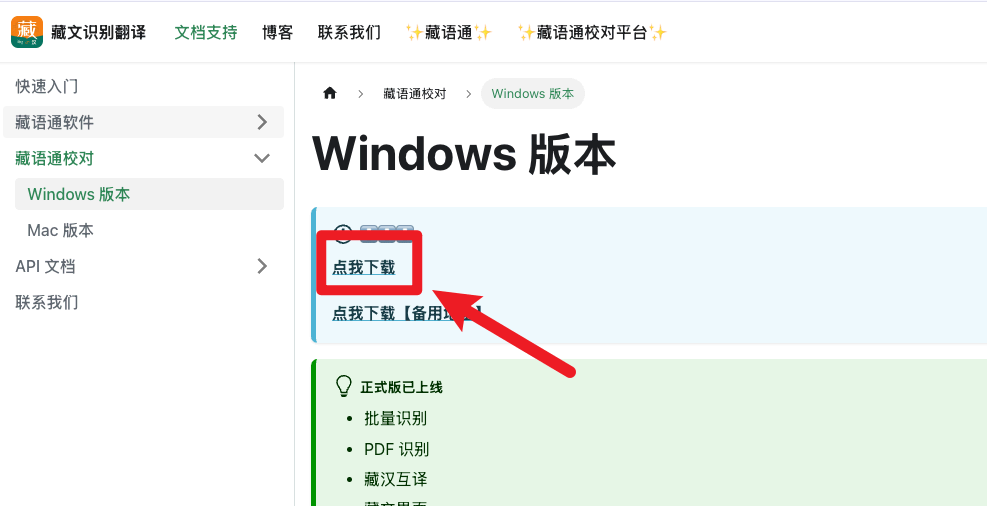 | 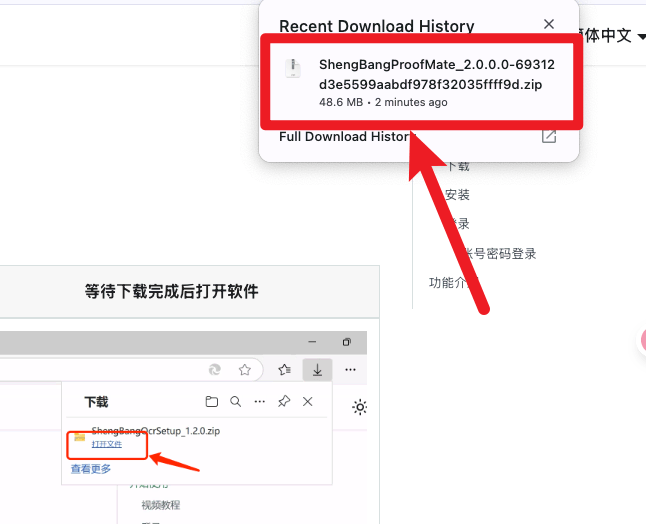 |
Installation
| Double-click .exe to install | Click "More Info" |
|---|---|
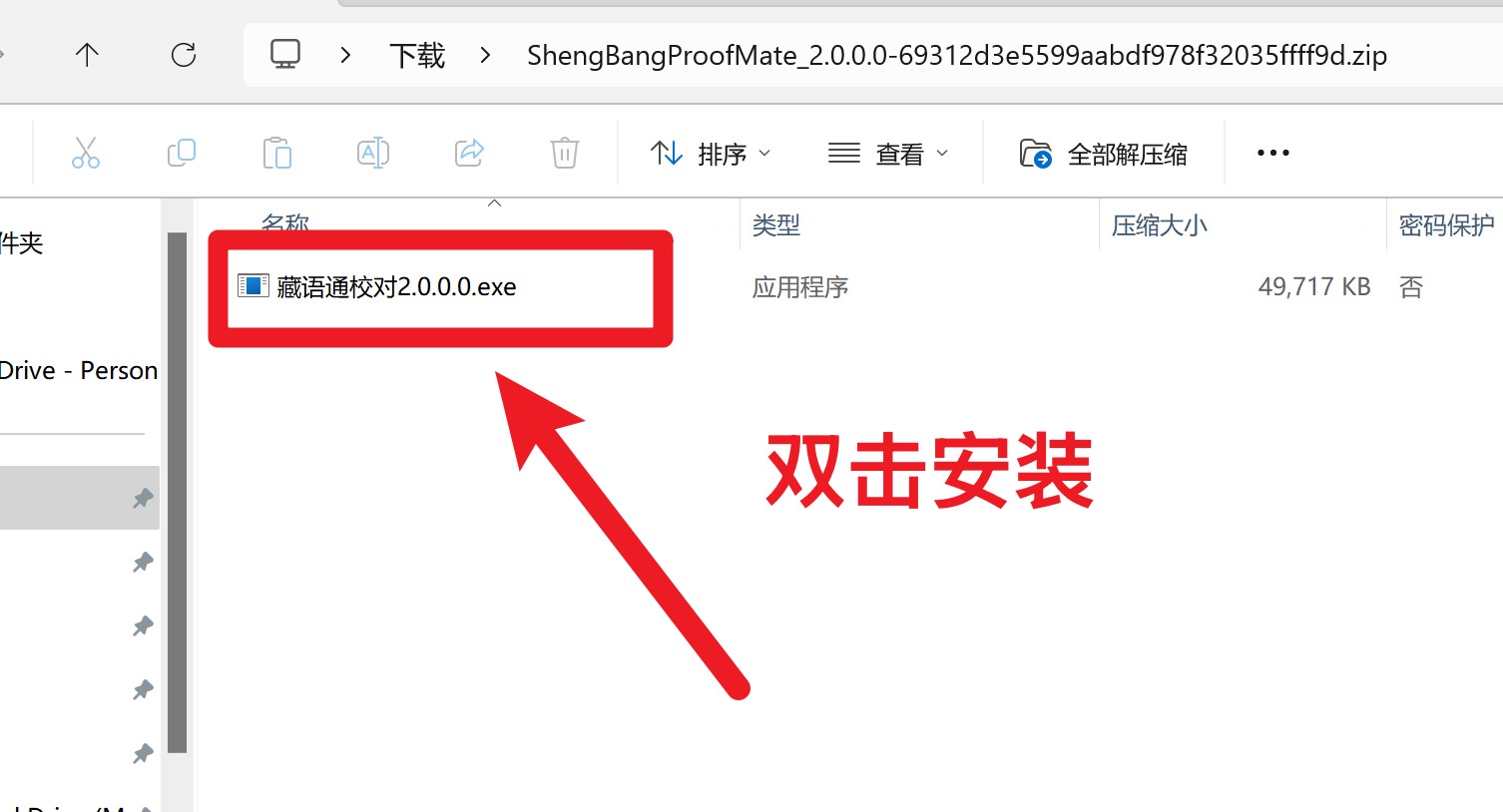 | 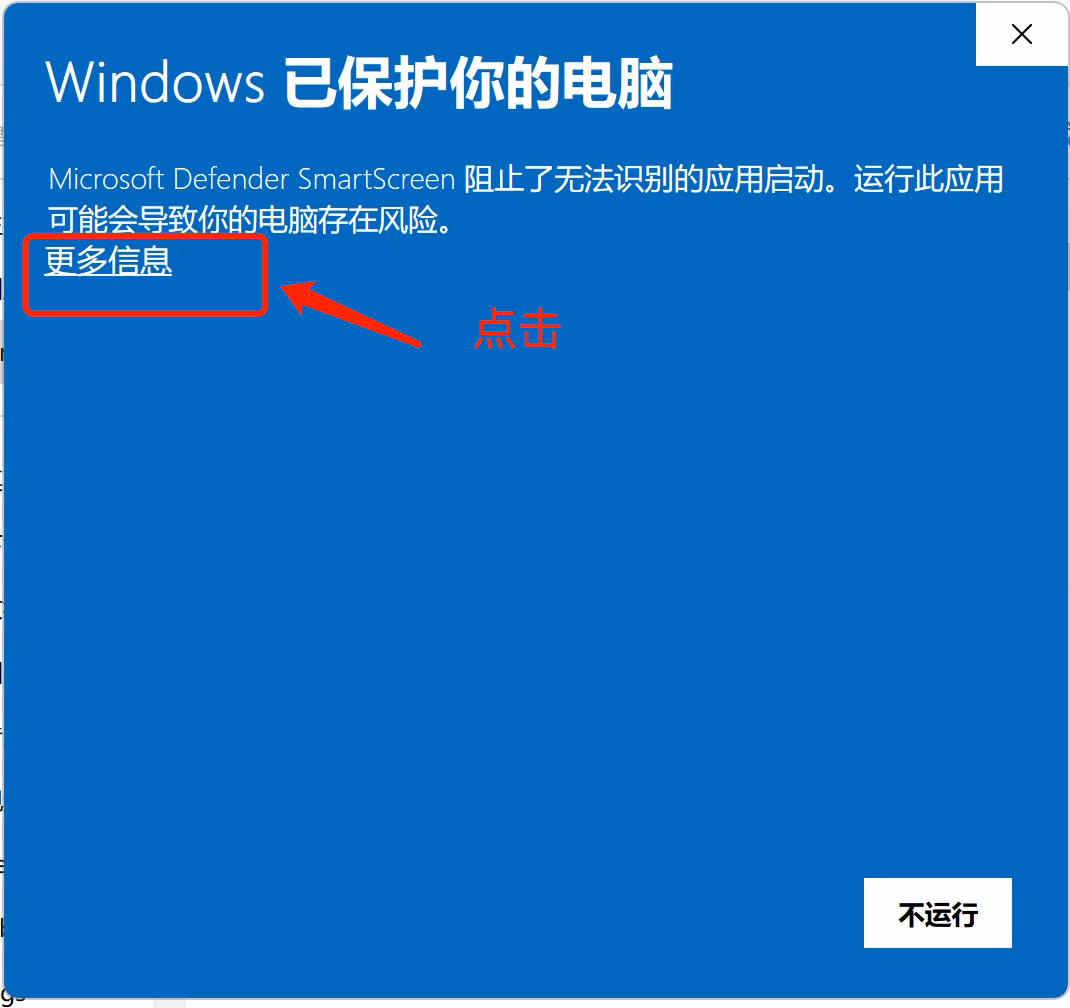 |
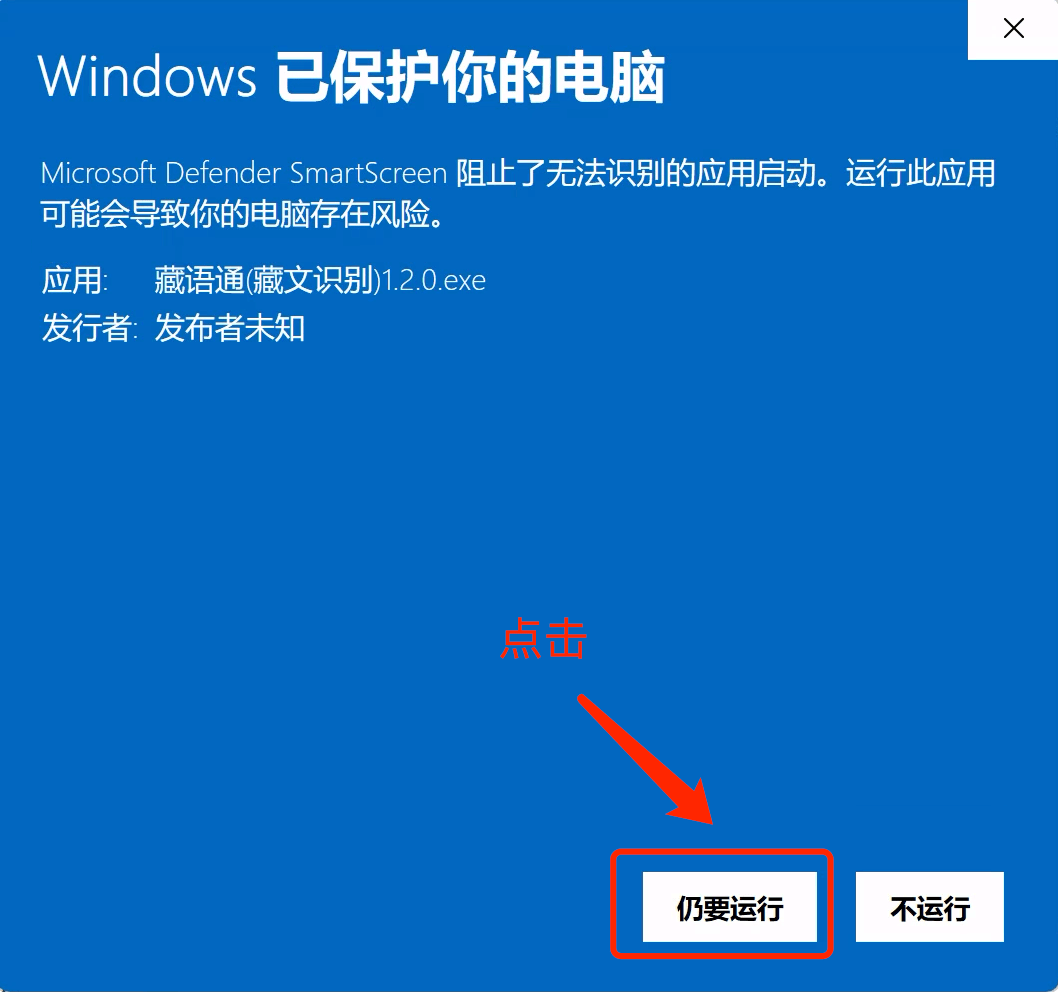
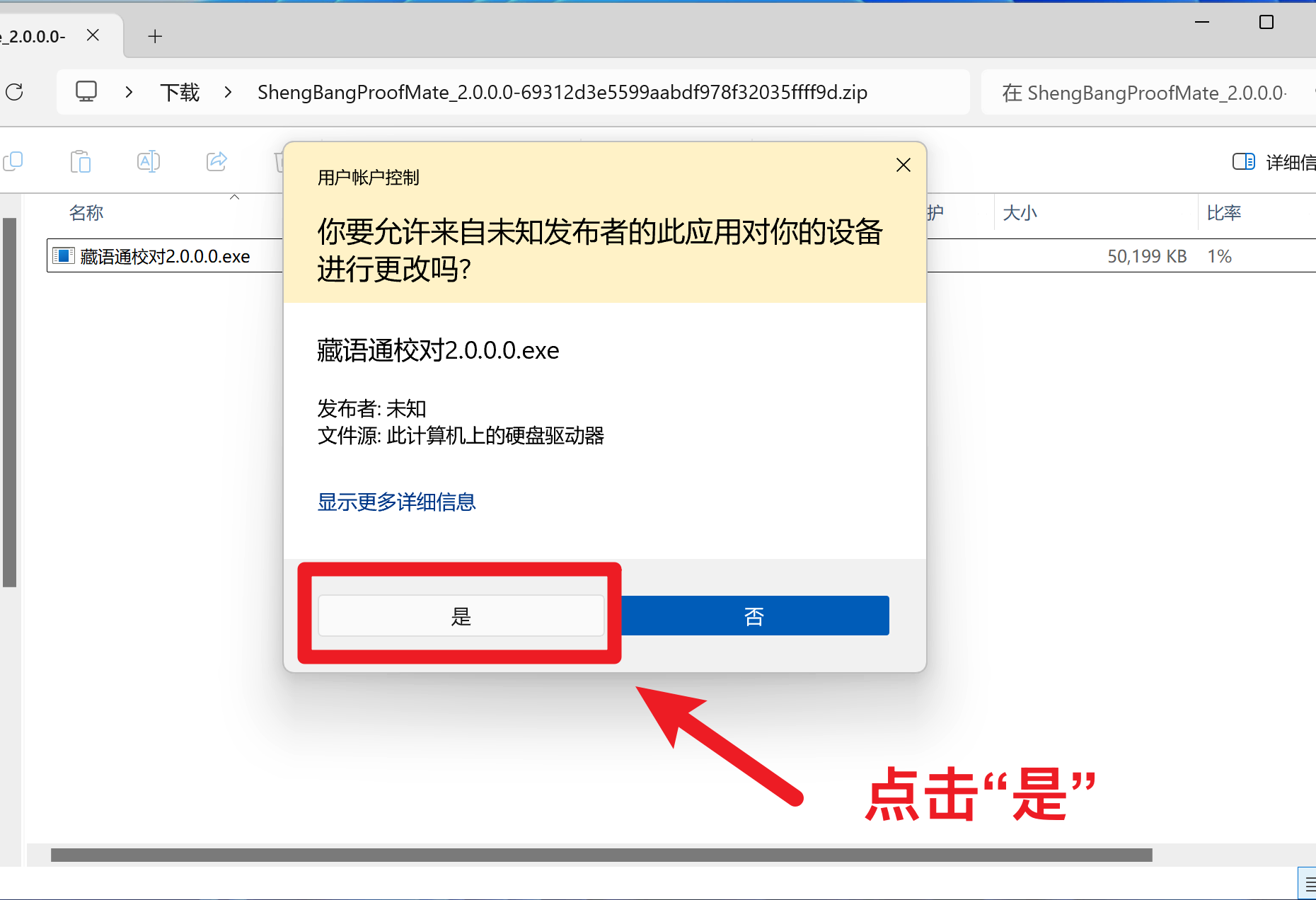
| Click "Run Anyway" | Click "Yes" |
|---|---|
 |  |
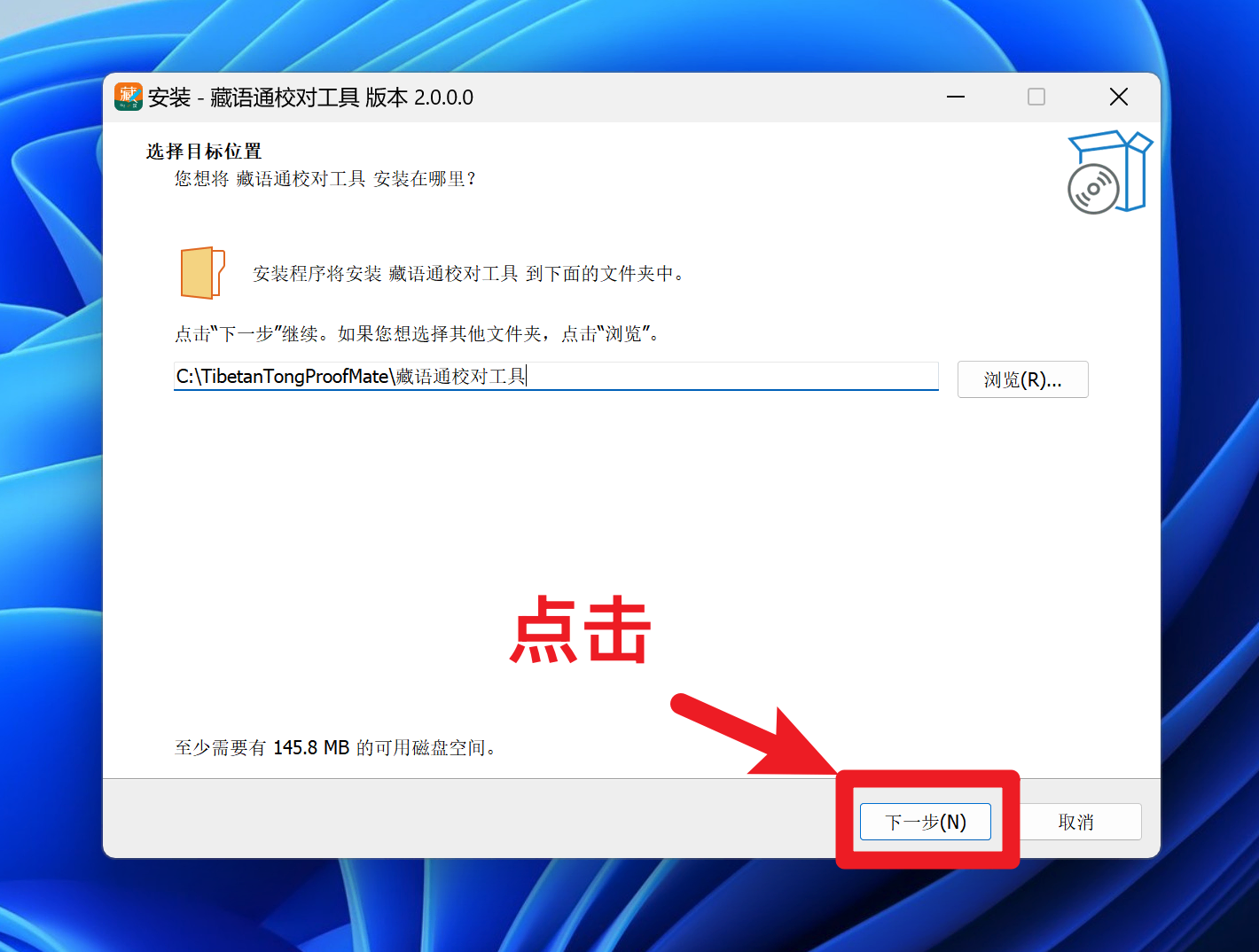
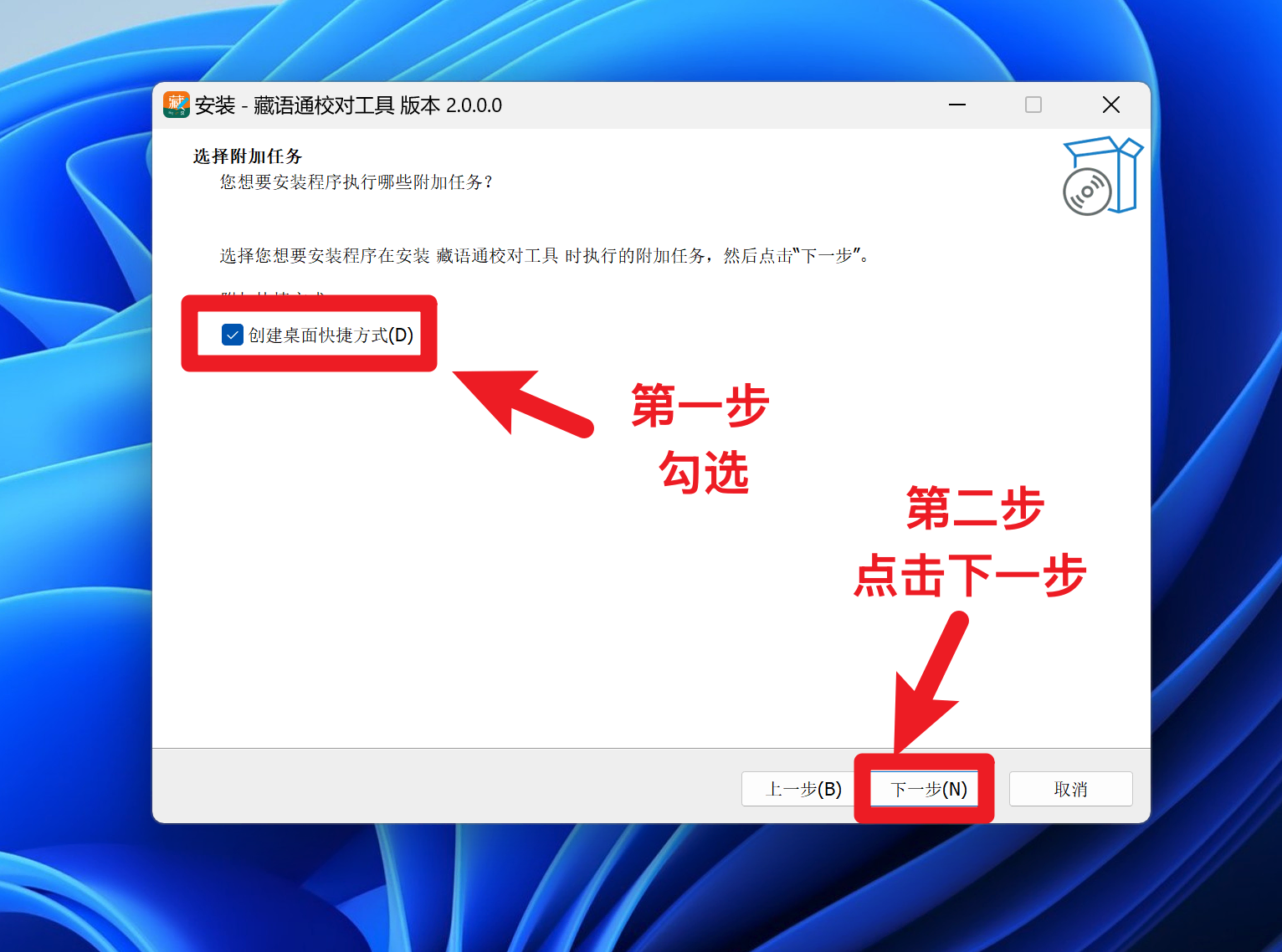
| Click "Next" | Check and click Next |
|---|---|
 |  |
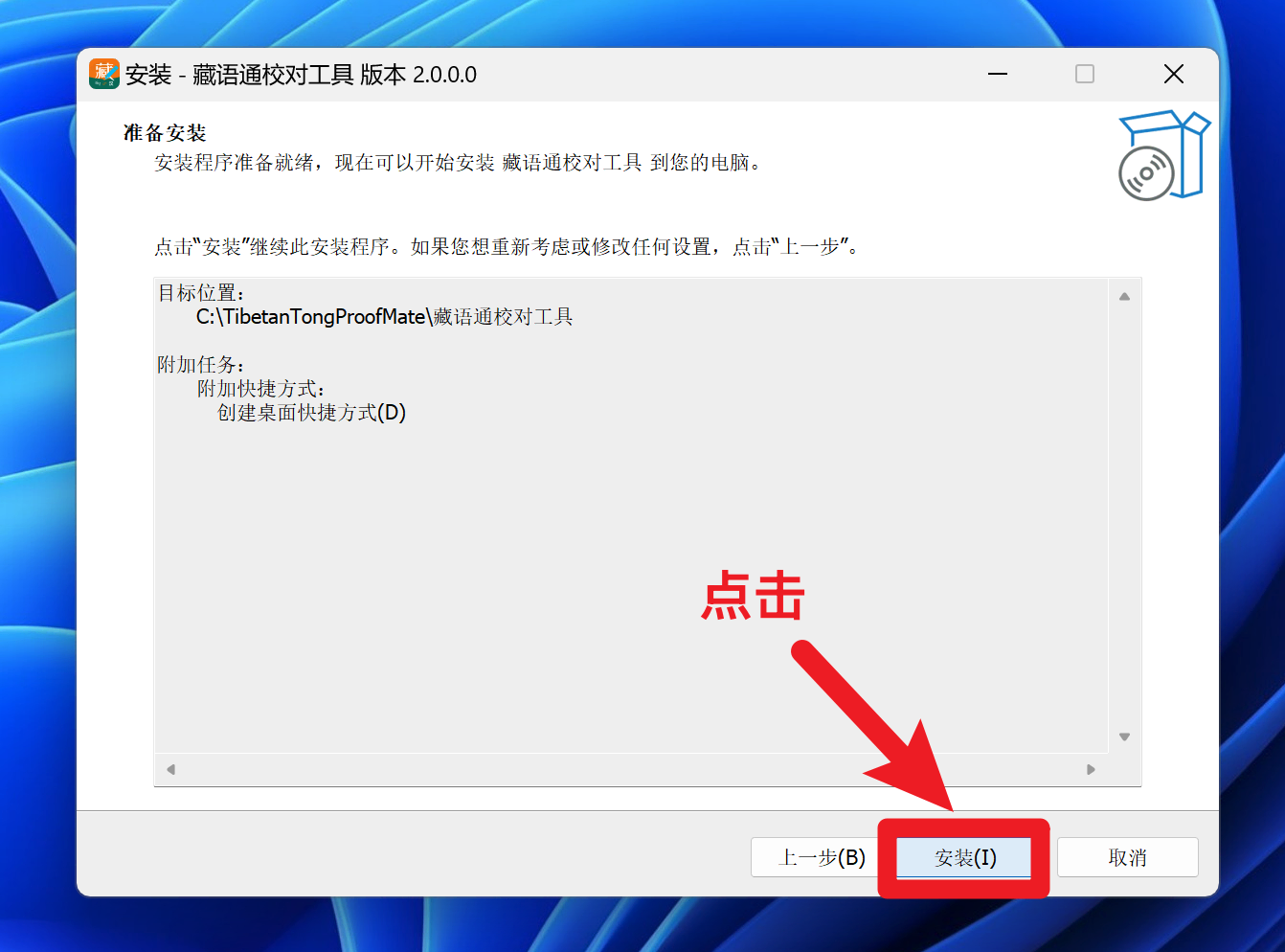
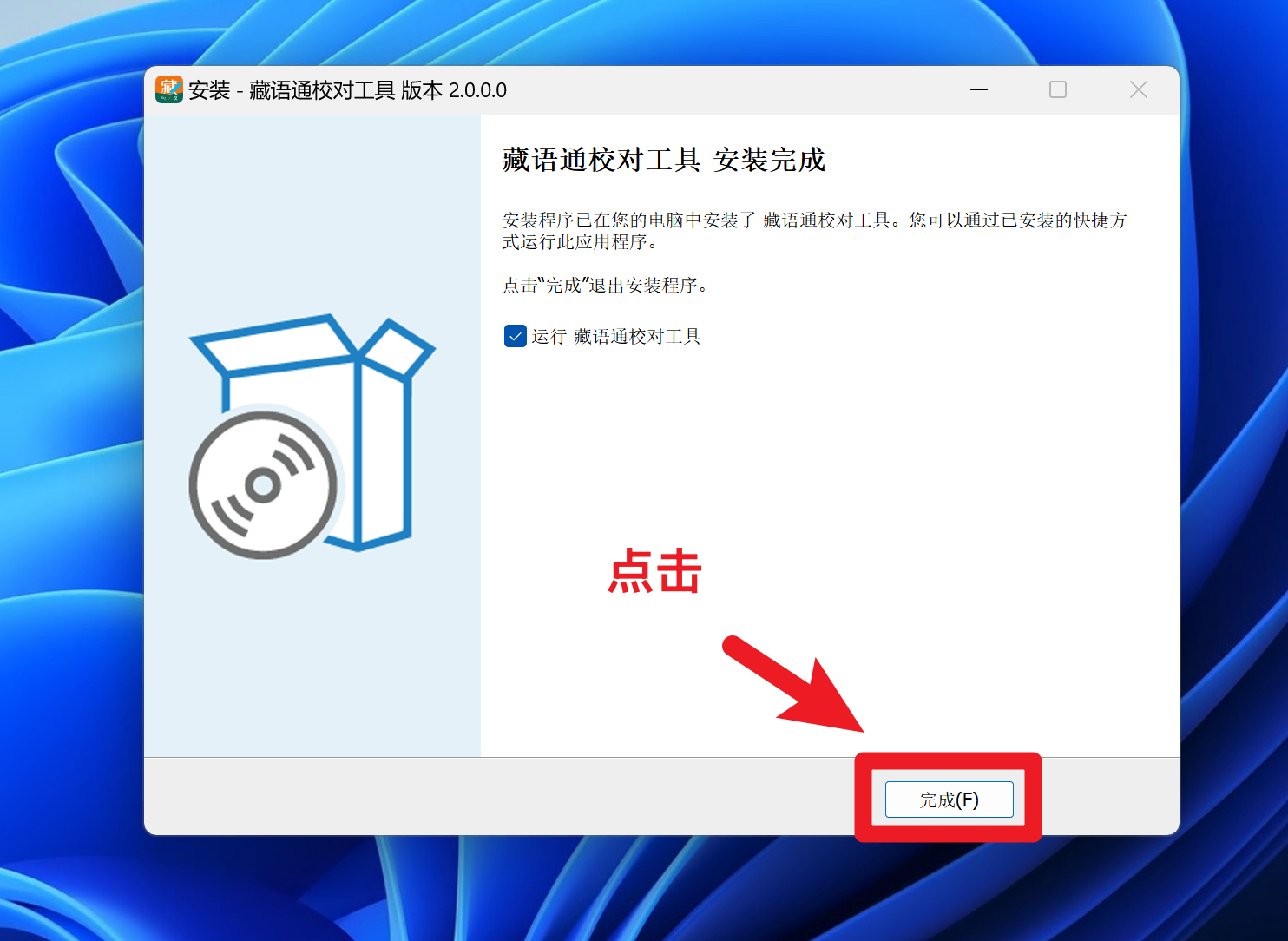
| Click "Install" | Click "Finish" |
|---|---|
 |  |
Login
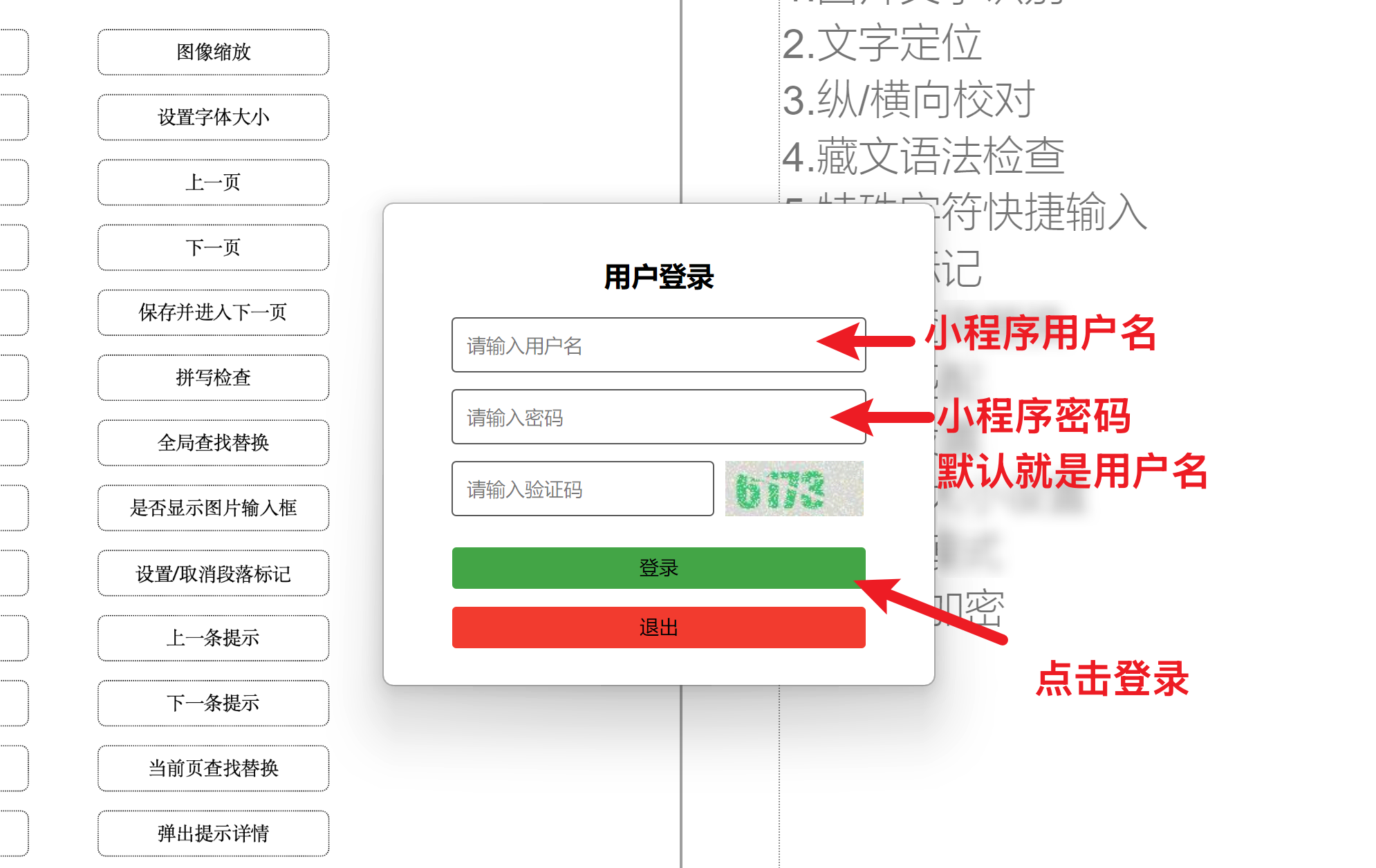
Account & Password Login
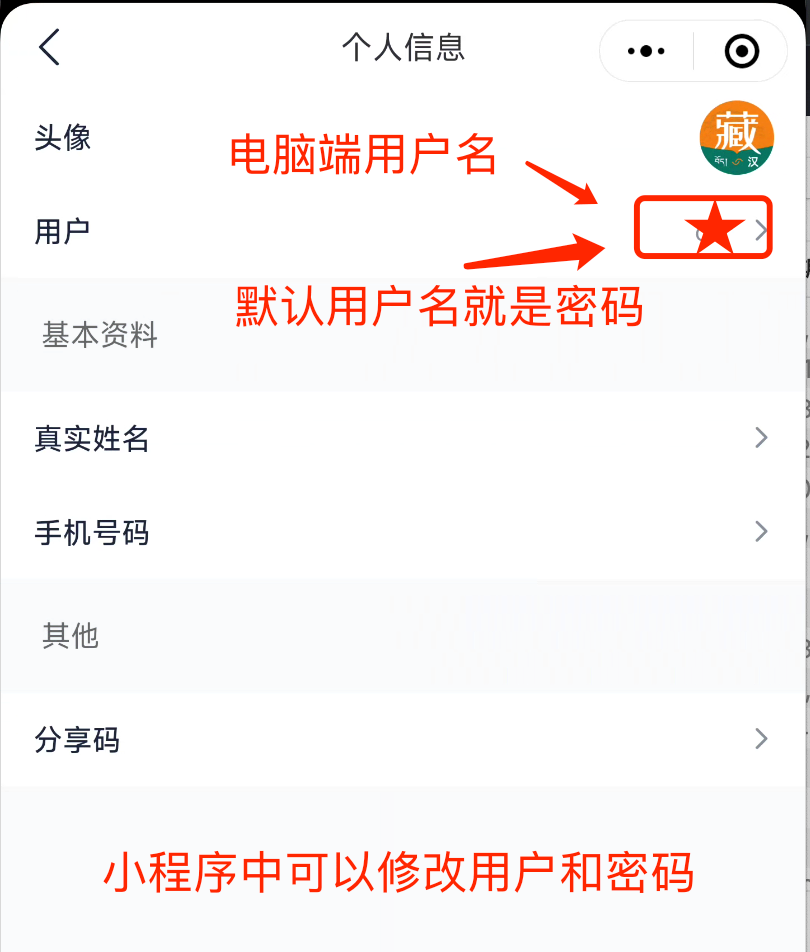
| Enter account and password to log in | View account (in the APP) |
|---|---|
 |  |